
MotionAtelier
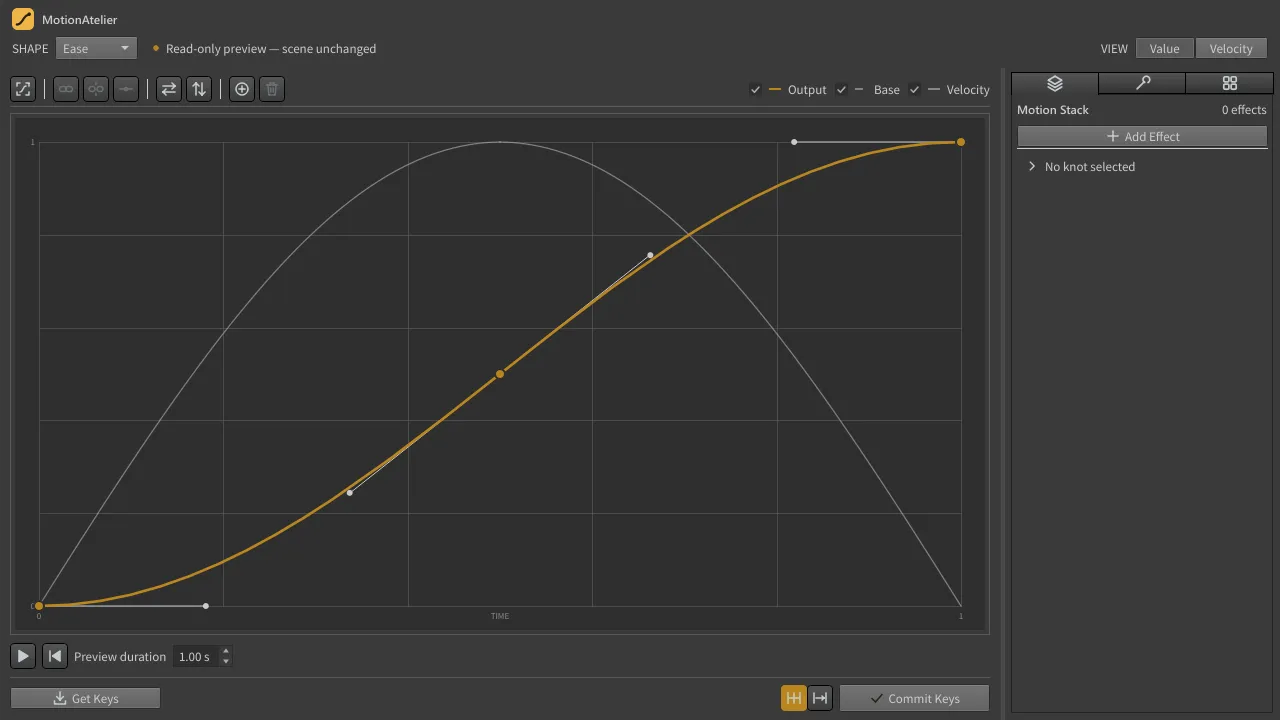
MotionAtelier is a Houdini panel for shaping the motion between keyframes. Read selected keys into a curve or start from a generated shape, refine it, preview it, then write it back to any number of channels as a small set of native Bezier keys, in one Houdini undo step.
Current release: 0.4.2, for Houdini 20.0, 20.5, 21.0 and 22.0 on Windows. It is free software (GPL-3.0-or-later with a Houdini integration permission) and needs nothing beyond Houdini: no network access, licence checks or telemetry.
What it does
Section titled “What it does”- Get Keys reads the motion between selected keys into an editable Ease curve.
- The curve editor and velocity view shape timing with knots, tangent handles, speed and influence.
- Bounce, Elastic, Wave and Noise generate exact, sparse curves from a few parameters.
- The Motion Stack layers non-destructive effects such as Spring, Lag and Noise.
- Commit Keys writes the curve onto every selected channel, verifies what Houdini stored, and undoes everything on any failure.
- Key Tools clean up and retime keys, Recipes store reusable shapes, and History keeps every committed curve.
Try it in your browser
Section titled “Try it in your browser”Open the panel simulation to use MotionAtelier without installing anything. It runs the shipped MotionAtelier engine in your browser, with an HTML copy of the panel and a small simulated Houdini scene: select keys, press Get Keys, reshape, and Commit Keys. The same simulation opens from the Try it live button under the screenshots on these pages. See what the simulation covers.
Start here
Section titled “Start here”New to MotionAtelier
Look something up